
A Terrible Guide to 2D Zelda-Like Rooms in GameMaker
Note: Unless otherwise specified, when I mention “rooms” here, I’m talking about the old Zelda-like, static-camera rooms. Not GameMaker rooms. Sorry. It’s confusing, I know.
For some reason, camera stuff is one of the most difficult things I’ve tangled with in The Waking Cloak. I’ve reworked my camera and room system a half dozen times, pretty much since the very beginning of development. (It didn’t help that it broke horribly when moving to GameMaker Studio 2!)
Doing rooms like Zelda on the NES isn’t too hard (unless you’re a dummy like me… took me way too long to figure out). Every room is the same size. When the player touches the edge of the camera, move the camera a fixed distance north, east, south, or west. No big deal.
My problem is I wanted rooms of different size, more like the Zelda Oracle games (such as in the dungeons). I didn’t want to mess with a separate GameMaker room for each Zelda-like room (which would mean delving into surfaces and some pretty complicated stuff). The easiest way to do it would just to have one GameMaker room.
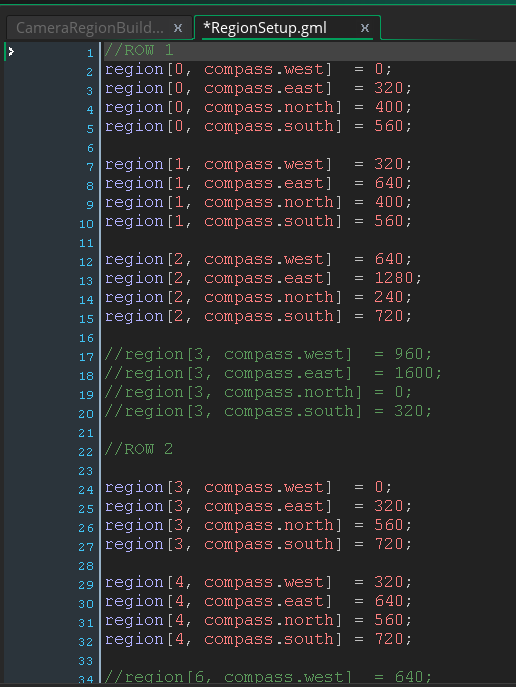
There were a lot of iterations to this, but it pretty much just ended up with me setting up an enum for the compass and hardcoding the dimensions in a two-dimensional array (called “region” so I don’t confuse myself with GameMaker’s rooms):
Long story short, this array helps the camera determine its limits for rooms of varying size, as well as the edges of the room for the player to run into. This is extremely unwieldy and prone to error. Every time I add a region, I had to redo math. When creating the most recent town GIF scene, I moved all the items in my GameMaker test room down 400px, and I had to redo a bunch of math. I mean, sure, it works. But it’s not really very scalable or debuggable.
So, since I just revamped the camera (maybe a post on that soon), I figured it was time to get back to the region system and make it much easier to use. Mechanically, it’s a bit slower than the method above, but I’ve got thousands of FPS to spare, so no big deal. (This is not a demanding game, lol.)
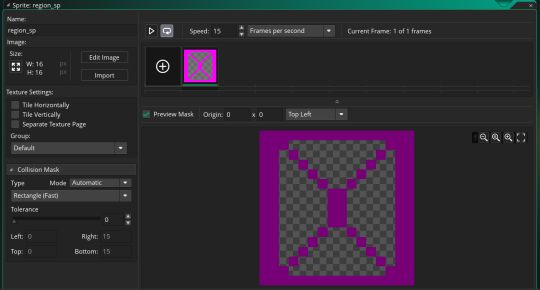
First, I whipped up a new region sprite with a standard rectangular collision mask:
Next came an object. I won’t screenshot that because it’s literally just an empty object (with one line of code to prevent it from being deactivated by another process, but if you’re following along at home, you won’t need that).
Then I created a new instance layer in the GameMaker room specifically for these region objects and slapped one down for each region. Tada:
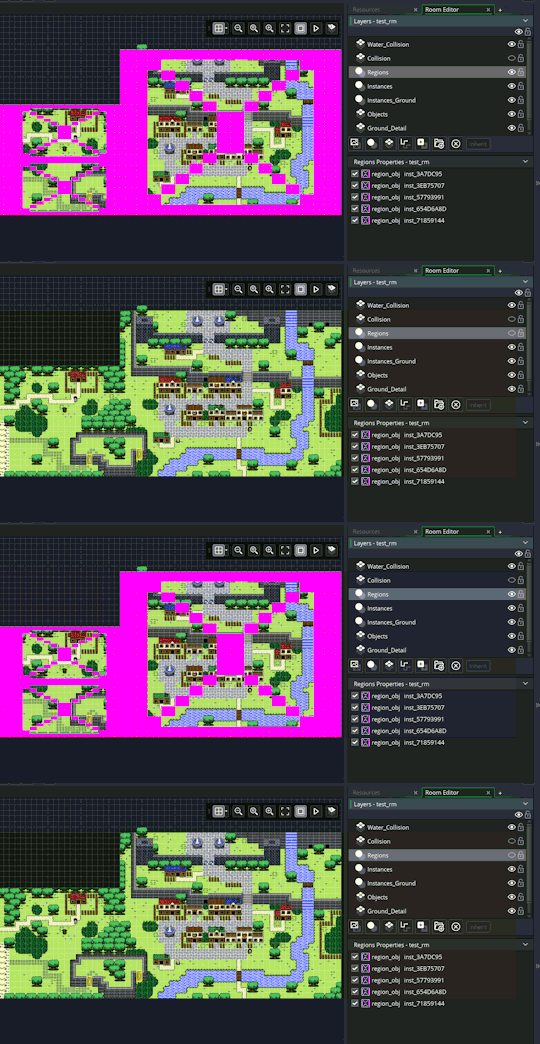
So it looks a little silly , but most of the time it’ll be invisible anyway. (I might at least edit the sprite later with different colors for each “wall” to make it more readable.)
Then, whenever the camera begins in a room, or when a camera “transition” is kicked off by the player touching a playerLimit variable (i.e., the edge of the room), this code is run to construct the camera limits and player limits. It’s pretty similar to the code that used the 2D region array:
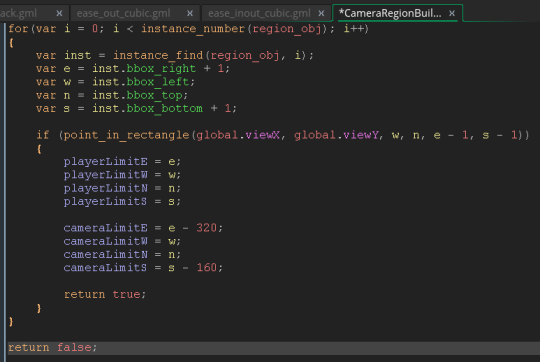
Maybe there’s a better way to do this (please let me know if there is), but this works pretty great for now.
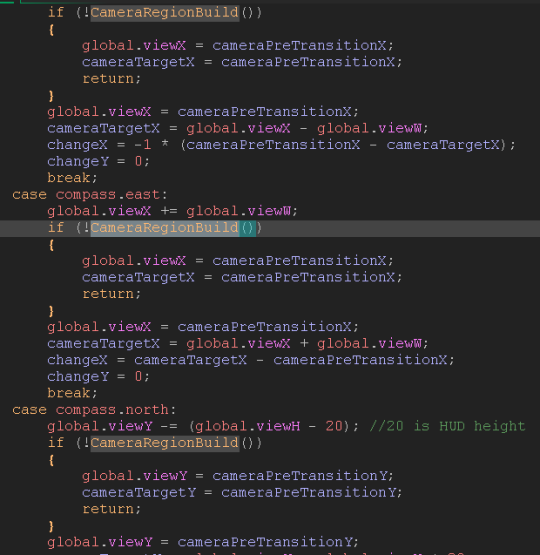
Just a note, global.viewX and global.viewY are the coordinates that the camera object uses to position the view. If you want to know more about this camera system, check out PixelatedPope’s awesome video on the subject. I’m doing some specific stuff in the camera’s transition state to throw the global.viewX and global.viewY north/east/south/west before the above method is called, and if it returns false, global.viewX and global.viewY are moved back to their previous location and the camera doesn’t transition. I’d paste a picture of the code in the camera transition state, but it’s kind of ridiculous.
Oh, what the heck:
Ok, so I know this was the world’s worst tutorial, so if you have any questions about this or implementing a similar camera/room system, please let me know either on Twitter (@MrDaneeyul) or on my Ask page. Suggestions work too. Otherwise… well, I hope you enjoyed these pictures of code. :)
- game development
- game design
- video games
- games
- devlog
- devblog
- indiedev
- indie
- The Waking Cloak
- Zelda
- GameMaker
- GameMakerStudio2
Also posted on Tumblr.