
Spacefarer Newsletter: July 2020
Looking back over my development notes from this July has been pretty encouraging. It’s easy to feel like you’re not getting anywhere, so this is one reason I love keeping logs. This July, I got pretty close to grinding to a halt because I took on too much stuff, and it almost seemed like that’s how the whole month had gone. But no!
So picking up where I left off in June: tile collisions. Tile collision is a much nicer approach to creating walls for the player. It increases game performance and is much less time consuming and irritating to place than collider objects. And these tile collisions work! But they had a weird jitter when colliding that is no bueno. After loads of debugging and conversations with PixelatedPope, we discovered that the collision method was not precise enough to work with tile collision. So I put that change on the backburner.
And then I tackled jumping.
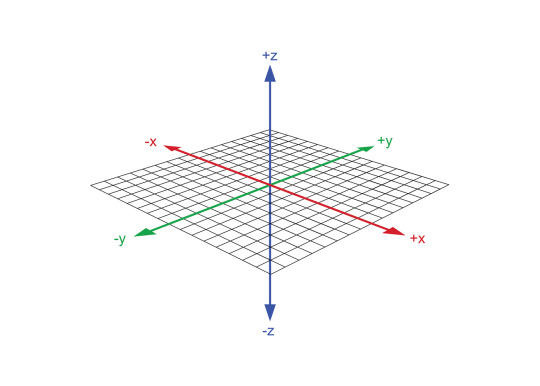
In last month’s newsletter, I talked about how this was all pretty easy to get working. And it was. But there’s another dimension (ha ha) to all this, and it’s the most complicated one: adding a z axis.
Now, many of you are probably familiar with x and y axes. In a 2D game, x is the “width” of the game world, east/west, and y is the “height” of the game world, north/south. The z axis is the “depth” of the game world, up/down. This is actually way easier to represent in 3D games, because 3D requires all three dimensions to be… y’know, 3D.
Displaying this z-index in a 2D game is pretty tricky. It’s not like you can just move stuff closer to the camera. That would just look like you’re increasing the size of things. Instead, you use the y-axis to represent the z-axis too. And while that’s a little tricky, it’s not the hardest part. The hardest part is doing this:
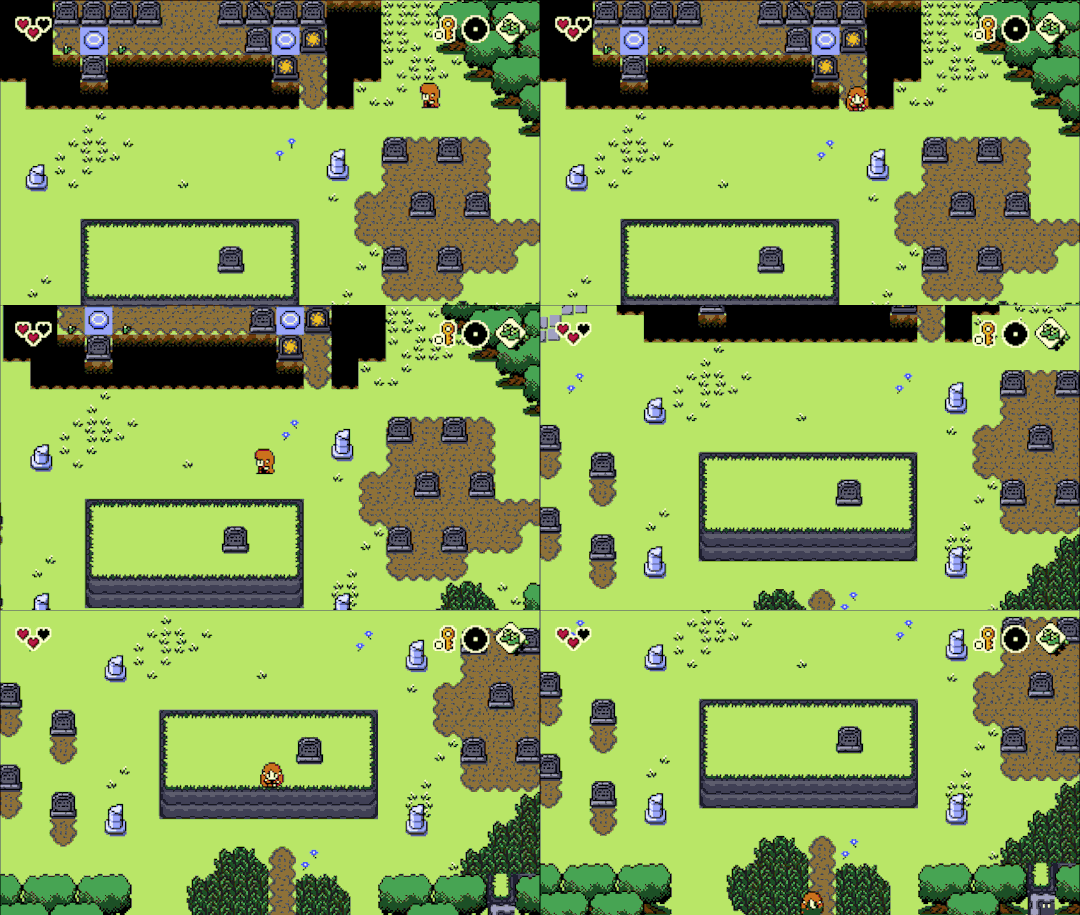
Essentially to get the depth all working properly (player can walk behind something but then jump on and walk in front of that thing), I had to use an object (you can’t change tile depth). But since I don’t want to make a bespoke object for every single raised platform, this object is a bit more clever. It creates its own sprite by drawing all the tilemaps under it onto a surface and then pulling the sprite from that surface (a surface is basically just a thing you can make GameMaker draw to).
And then you have to get the depth and z and so on set up correctly and blah blah technical stuff. If you’re making a game in GameMaker and you want to get jumping working with the z-axis, go check out this 5-minute video by Matharoo.
Alright, alright, so that’s a big deal, but that’s all the major stuff I should improve on for this episode, right? Don’t want to bite off more than we can chew. And that is where you would be wrong! :D
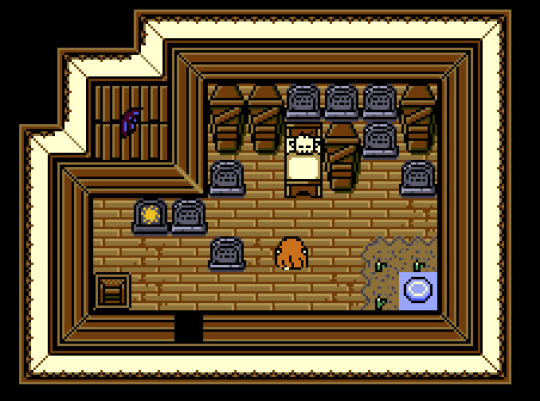
See, with jumping, we have a problem: the exterior and interiors are drawn at different perspectives. Outside is drawn from the front looking down (you see the fronts of walls), while interiors are like looking down into a box (you see all four walls). This would mean I would have to have two different ways for jumping to work based on whether you’re outside or inside. That’s confusing for everyone.
Currently (well not currently anymore), the interiors follow the classic Zelda perspective. It’s like you’re looking down into a box of a room and can see all four walls. This is so that you can easily see doors on walls, bomb those walls, etc. However, in order for you to see Link and all the enemies and stuff in the rooms and not just have it be the tops of their heads, these are drawn to another perspective, almost like they’re all “laying down” on the ground.
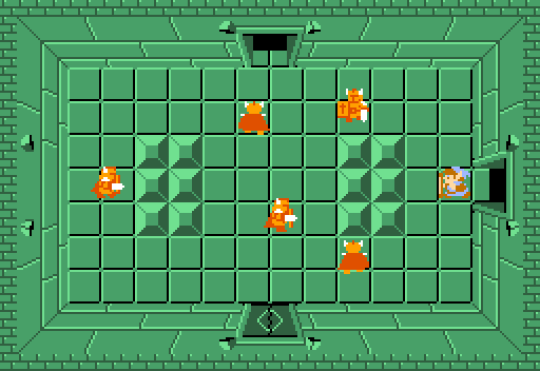
This decision was made for a good reason (you can see doors on all walls), but it’s also super weird if you think about it. It also gets complicated when you have multiple “layers” in a room because then you have to do stuff like this:
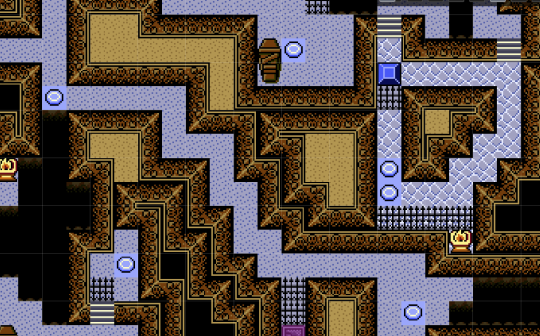
And this is confusing. I had players who were confused. They didn’t really know what layer they were on, whether they were going up or down, etc.
The solution is this: make everything use the same perspective. This unifies the exterior and interior; cuts down on weird walls; reads more clearly for the player; allows for a single, intuitive jumping system; and, I think, is just way nicer to look at.
Before:
After:
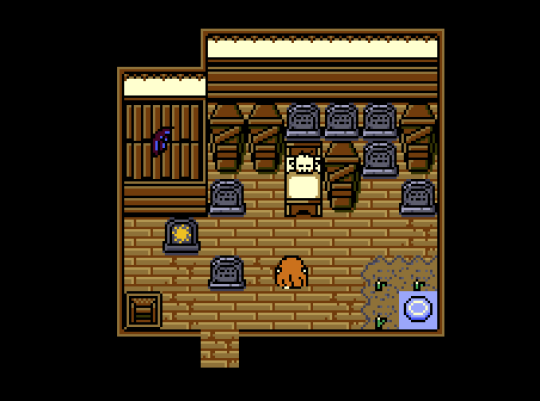
Okay, so yeah, I also have to redraw a buuuunch of tiles. Whee. But it’s for a good cause.
While I was at it, I updated my palette some more. I learned about “hue shifting” in color ranges, and there are a few colors that I’ve felt dissatisfied with for a while anyway. I removed one of the grays, opting instead for a similar light blue that was already part of the palette, then did a similar thing for a dark green. Then I changed some browns to make them a little less heavy and bland.
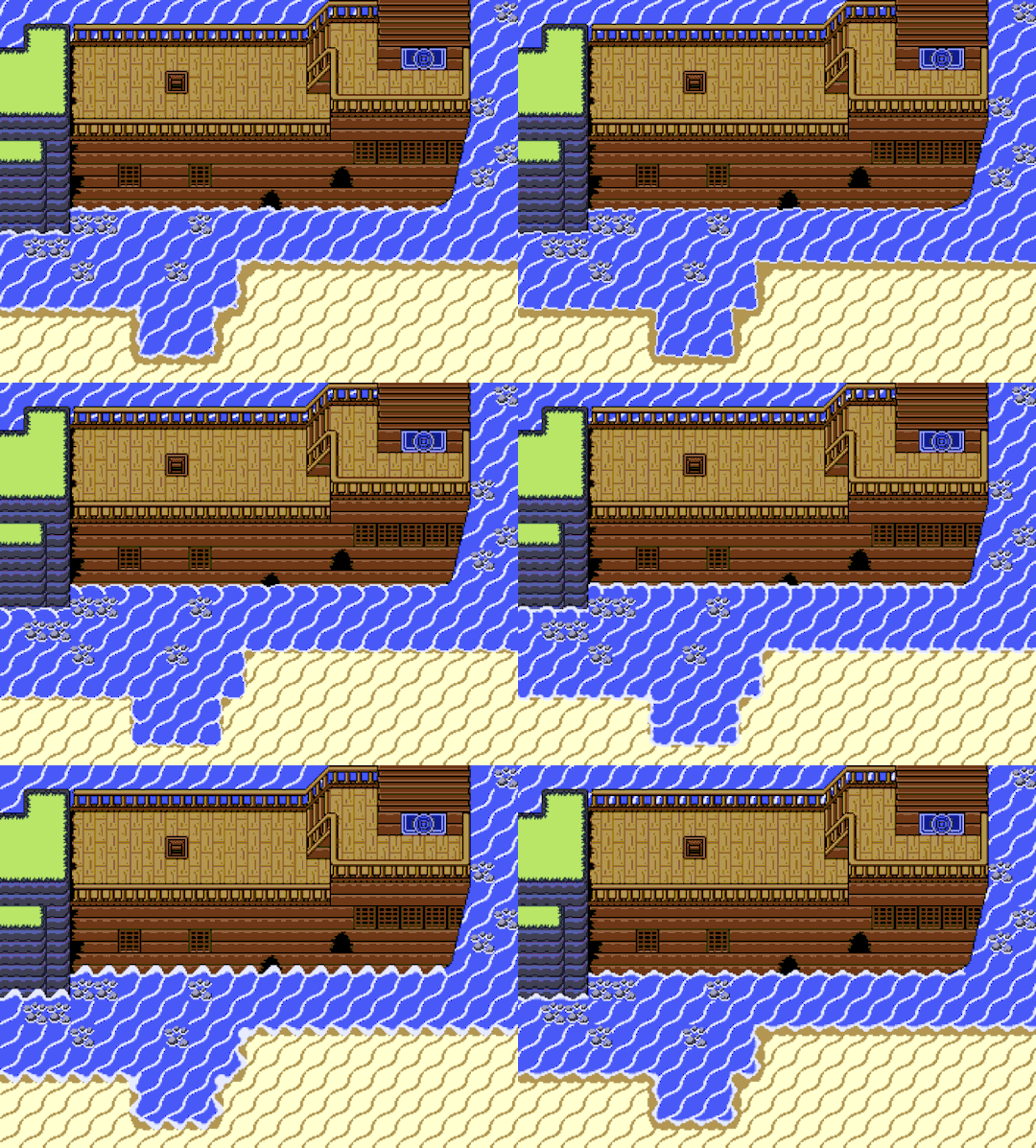
Drew a new version of the ocean tiles that I’m finally happy with! And I drew all kinds of tiles for a seafarin’ ship which was fun. I drew some waterfall tiles too, and new cliffs (8px and 16px variants). Lots of art to get done, and I’m pleased with how it’s going.
As a bit of a break, I did some long overdue optimization. Tall grass was apparently accounting for 11% of each step’s processing power, which is kind of insane. Turns out every single grass object was checking collisions with every single collider and actor object. All I need is to check for tall grass so I can display the “rustling” sprite. So I flipped it around so the actor object was doing the checking, and voila, we gain like 100 FPS. I then went through and set a few different objects to deactivate when they’re not in the current area, as well as triggering the deactivate script when the room is loaded, and suddenly another +100 FPS. Hopefully this will make things run faster for some of you folks on old potato machines.
Near the end of the month, Pixelated Popegot back with me with some fixes for the jittery tile collision. After a few tests, I implemented it in my PD3 project. It took a few attempts (the GMS2 beta was being a bit unstable), but eventually it was working! Shout out to Pixelated Pope for his hard work on this system.
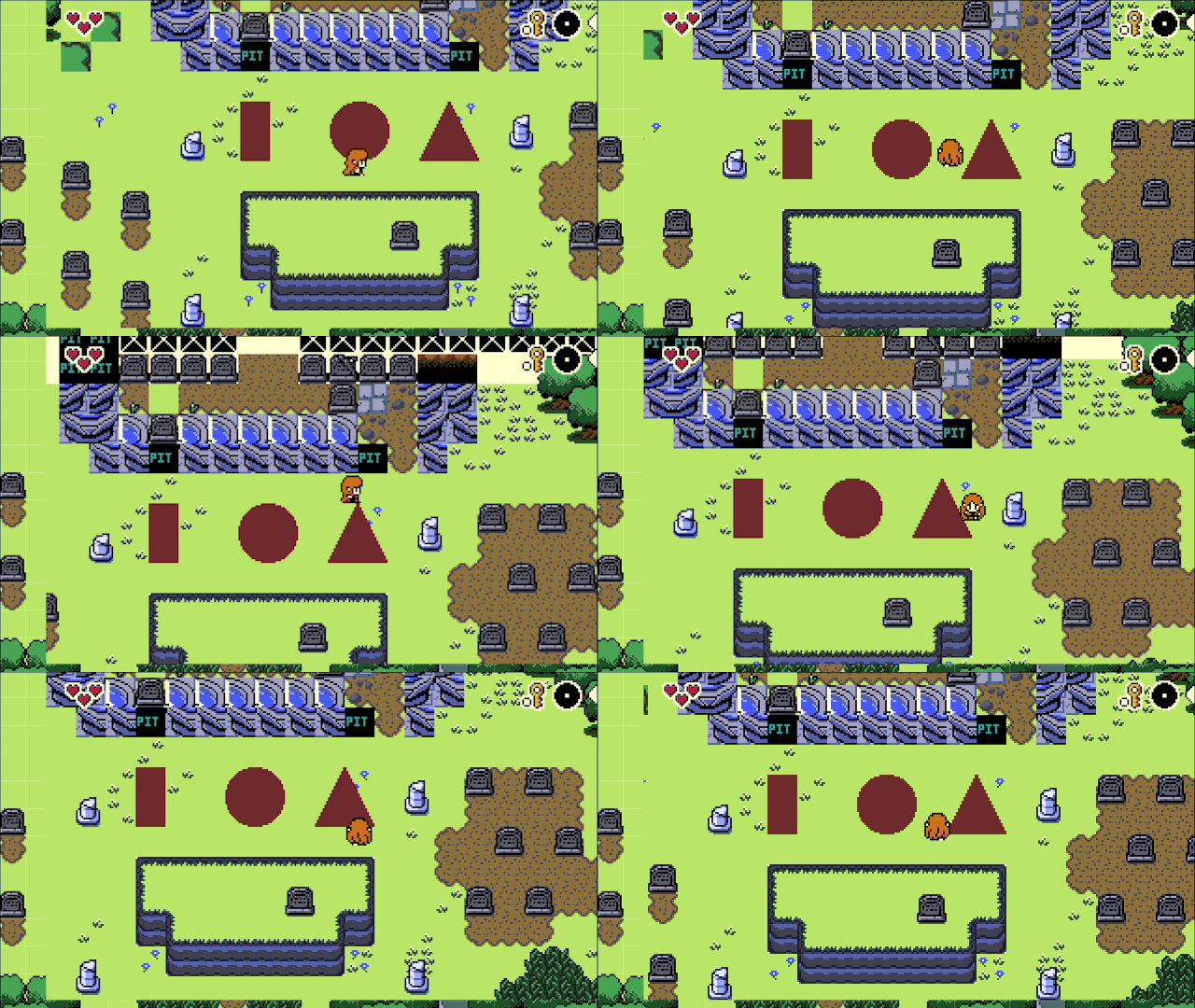
And finally, I started to put it all together. This ended up exposing a lot of issues with my system, some of which I still have to resolve. Namely, 1) walking off an edge is too lenient, but if I make it stricter, the player gets stuck the cliff, and 2) my system to draw tiles on my z object does not properly handle tile animation. Oh, and building these cliff objects is painstaking.
BUT.
YEAH THIS DOES WORK. It’s pretty fun clambering around!
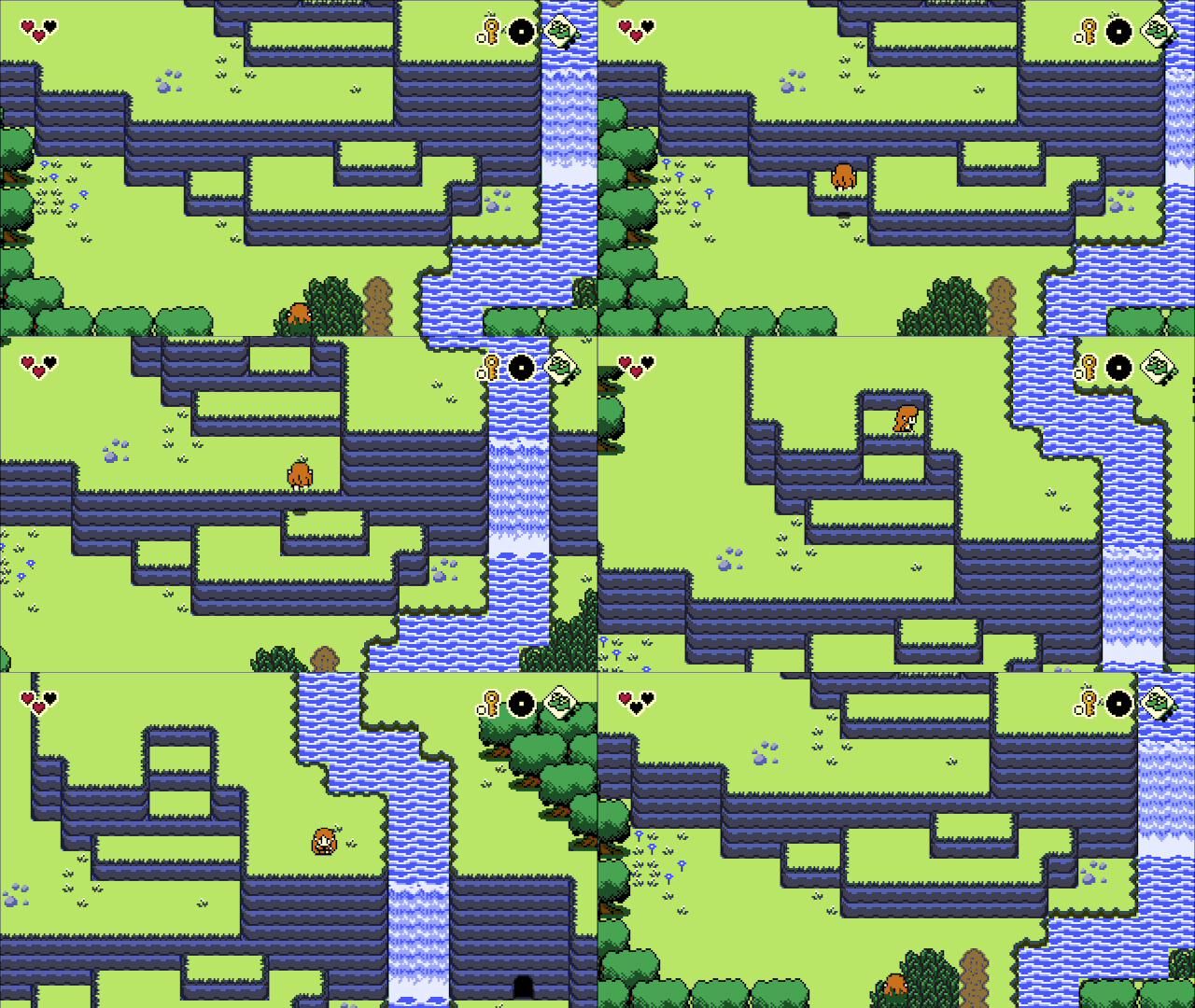
That’s it for this month! Onward to August!
Also posted on Tumblr.