
Flashing sprites with a shader in GameMaker!
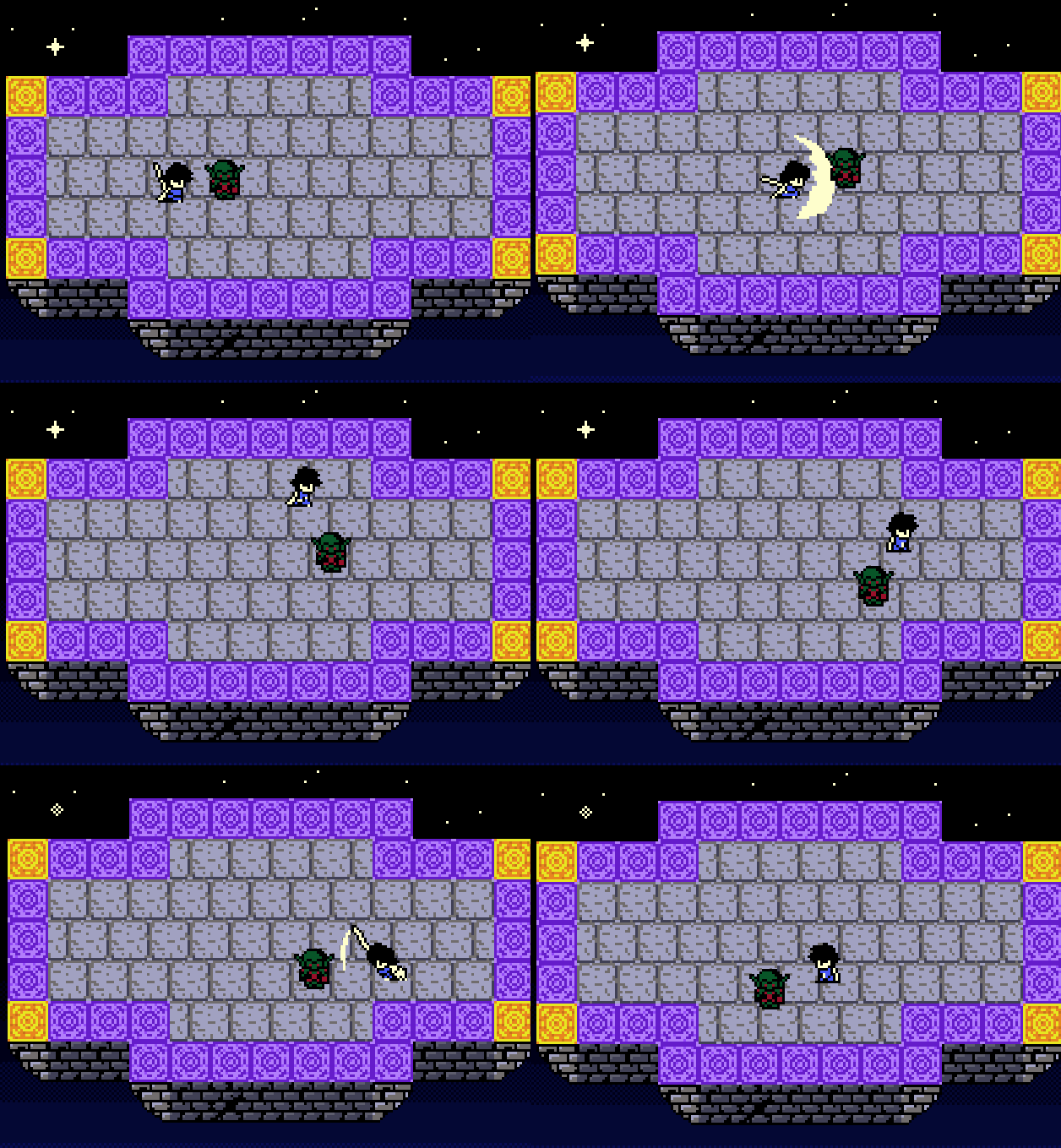
Alright, so combat is moving along, and I’ve also been working hard on creating SNES instruments! Yesterday I did a bunch of work creating a new room, drawing enemies, and so forth, but none of that is ready to show. So here’s another snippet of code. This time it’ll be how to use a shader to make a sprite flash!
ALSO THIS TIME I can show you what it looks like in practice. I have an old combat GIF. :)
So it’s just for a split second on hit, the enemy turns white (well, in this case, a super light shade of red). This is one method to sell the impact of the hit.
It’s pretty simple to do too!
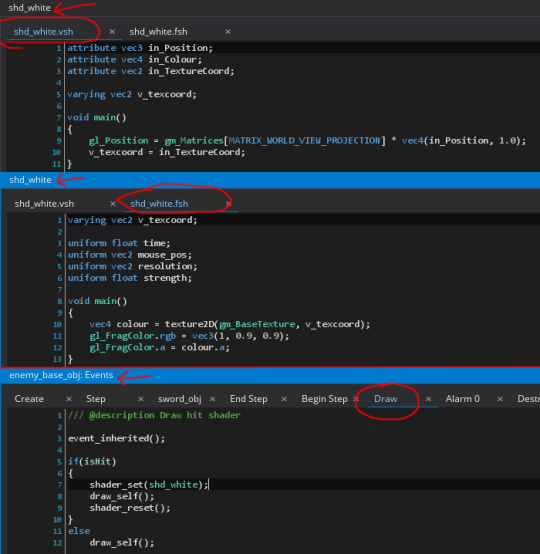
All you need is a shader, and then you can set it in the draw step of whatever you’d like to flash. The enemy parent object, if you remember, sets “isHit = true” when it gets damaged, and then an alarm will count down 1/10th of a second and set “isHit = false”. While isHit is true, the object is drawn with the shader.
Note line 11 of the fragment shader (shd_white.fsh). That vec3 is where you can choose the color. The first parameter is red, the second parameter is green, and the third parameter is blue. So here we’ve got 100% red, 90% green, and 90% blue, making a red that looks almost white.
EDIT: A quick note. Shaders are magical and incomprehensible to me, so you don’t need any of the “uniform”s (lines 3-6 of the fragment shader). We aren’t using them in this shader.
Finally, credit where credit is due. I understand very little about shaders. This reddit comment by /u/GalacticBlimp is where I learned how to do this.
That’s it! Go! Create shaders and multiply!
- devlog
- devblog
- gamedev
- indiedev
- screenshotsaturday
- screenshot
- combat
- gif
- flash
- shader
- GameMaker
- code
- gameboy
- gameboy color
- pixelart
- pixel
- pixel art
- pixel animation
- The Waking Cloak
- how to make it
Also posted on Tumblr.